(PBES) Passenger Baggage Entry System
The Passenger Baggage Entry System provides for the automation of the processing of arriving international airline passengers’ baggage. PBES is largely based on the Informal Entry System, using the same core business rules on the qualification for informal entry. This system is to be installed at the Customs exit lanes at the international airports where passengers can declare their taxable goods and be assessed the corresponding duties and taxes. To avoid unnecessary delay in the process, PBES will use a Simplified SAD. The Customs Examiner fills up the Simplified SAD and processes it until assessment.
To achieve the objective of getting complete information on Passenger Baggage and to reduce the clearance time to the minimum possible, the functions of the PBES shall be limited to the straight-forward assessment of duties and taxes. The use of non-cash payments (including tax exemption certificates) and the verification of licenses, permits, and clearances shall disqualify the shipments from the use of the PBES.
In summary, PBES’ marked differences from the process for the regular Informal Entry are:
- Baggage inspection is mandatory
- The BOC Examiner lodges the declaration in TWM in behalf of the passenger
- The BOC Examiner uses a Simplified Declaration.
- Payment modes are limited to cash via the TWM Tellering Module.If a Tax Exemption Certificate or a Tax Debit Memo shall be used as payment instruments, the shipment shall be cleared through the Informal Entry system.
- If licenses, permits and clearances are needed the passenger will need to file through the Informal Entry system and not through the PBES system
- The passenger baggage is released thru a manual process rather than through OLRS.
Input Data using PBES Template
|
Step 1
|
Access TWM using user name and password
|
|
Step 2
|
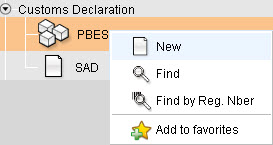
From the Customs Declaration, select option "PBES"
|
|
Step 3
|
From the PBES option, right click and select NEW
to display the PBES input template
|
|
Step 4
|
Input details from the relevant commercial documents
(invoice, packing list, transport documents, insurance certificate)
|
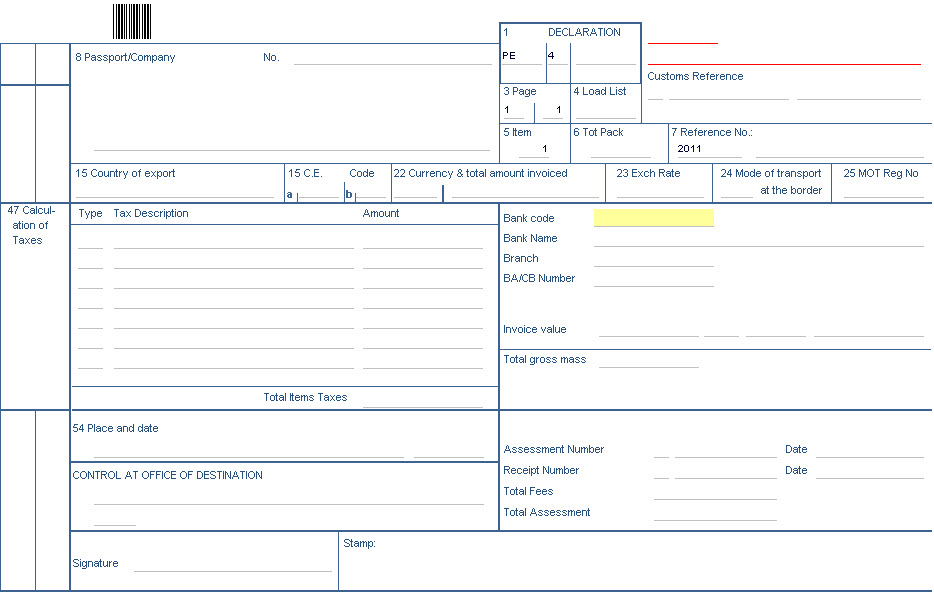
PBES Template
PBES Item Form
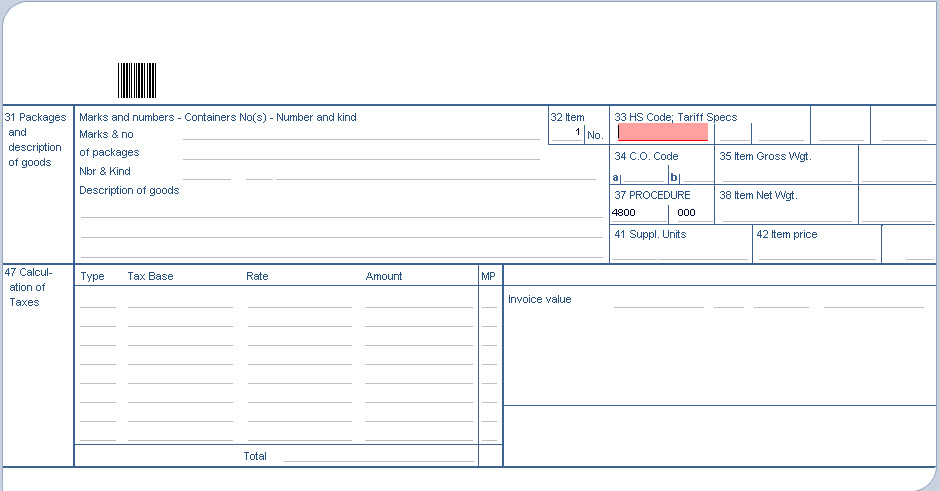
Accessible by clicking on the form tab 'Item'. This form provides the facilities to enter all neccesary infiormation pertaining to pacakages and goods, as well as breakdown of taxes.
Important Data Elements in PBES
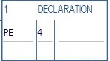
Model of Declaration: From the drop-down list, select the relevant Customs Regime code or Community code.
Loading List: The number of any loading lists (delivery notes) attached

Reference Number: Input the declarant reference number assigned to the consignment.

Exchange Rate: The box will automatically display the exchange rate of the transaction

Mode of transport at the border: Import: Enter the mode of transport corresponding to the active means of transport active with which the goods entered the customs territory of the Community.
Export: Mode of transport which will be used on exit from the customs territory of the Community.

Currency and Total amount invoiced: Enter in the first sub-division, the currency in which the commercial invoice was transacted. In the second sub-division, enter the invoiced value for all items declared.

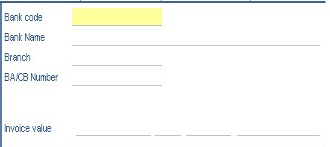
Financial and banking data: Enter bank branch and file reference number.
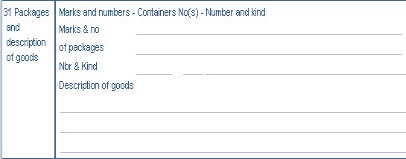
Packages and descriptions of goods: The marks & number of packages.
PBES Asmt. Notice Form
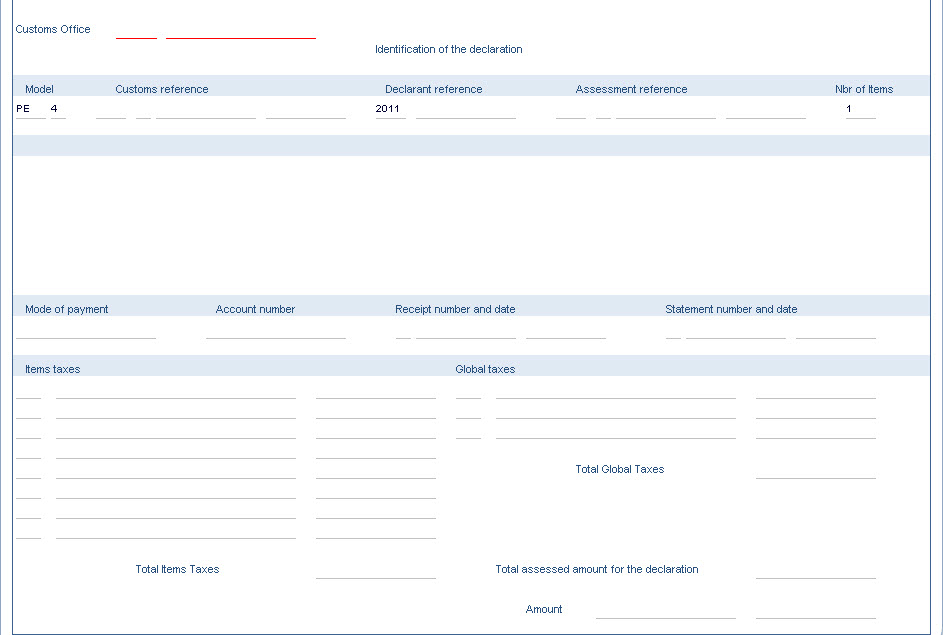
The form displays the identification of the declaration and detailed calculation of duties and taxes. Each applicable tax (e.g. Item Taxes, Global Taxes and Total Global Taxes)
will be shown with its corresponding amount. This feature provides transparency to the process.
Important Data Elements in PBES-Asmt Notice Form
Item Taxes: This is sum of the dutiable amount for all item taxes of the declaration, per tax.
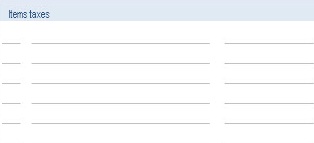
Total Item Taxes: Sum of all amounts for all item taxes.

Total Global Taxes: Sum of all taxes.

Total Assessed Amount: Total Item taxes plus Total Global taxes.

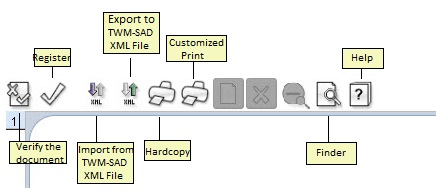
PBES Toolbar
|
Icon
|
Functions
|
|

|
Check for validity and correctness.
|
|

|
Register
|
|

|
This button is used to load a previously saved XML file.
|
|
|
This option allows saving the content of the displayed PBES with all captured data into a TWM XML file.
|
|

|
Hardcopy
|
|
|
Customized print
|
|

|
Used to search manifests that are currently recorded in the database.
|
|

|
Help
|
Back to Top